The CRAFT Framework: How to Write GTM Prompts That Produce Usable Output
Most GTM prompts produce generic output because they skip structure. The CRAFT framework (Context, Role, Ask, Format, Tone) fixes that. Six copy-paste prompts included.
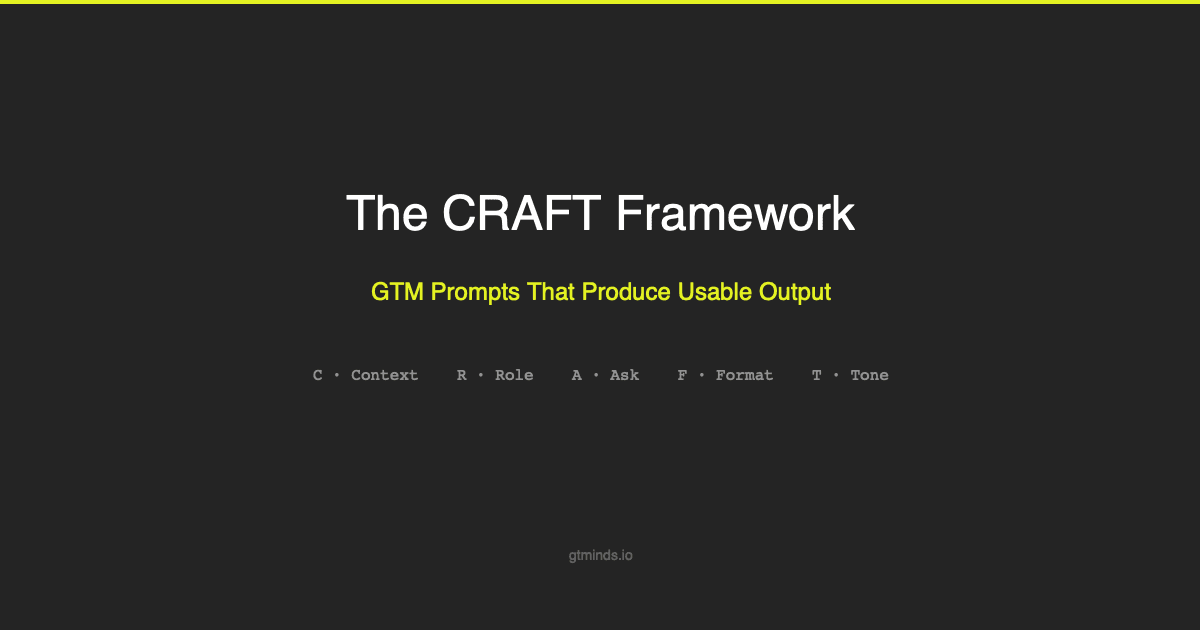
Table of Contents
Why GTM Prompts Produce Garbage
Before and After: The Same Request, Two Outcomes
The CRAFT Framework
Prompt 1: Company Research from URL
Prompt 2: Pain Point Identification from Job Postings
Prompt 3: First-Line Generator for Cold Email
Prompt 4: Trigger Event Detection
Prompt 5: Email Sequence Draft
Prompt 6: ICP Qualifier
Six Mistakes That Kill Prompt Quality
Frequently Asked Questions
Why GTM Prompts Produce Garbage
Most GTM teams use AI the same way. They open ChatGPT, type something vague, and get back something generic. Then they blame the model.
The model is not the problem. The prompt is.
Five reasons GTM prompts produce unusable output:
1. Too vague. "Write a cold email" tells the model nothing. Nothing about the prospect. Nothing about your product. Nothing about what makes this outreach different from the 47 other cold emails landing in that inbox today.
2. No context injection. You already have enrichment data. Company size, tech stack, recent funding, job postings. But the prompt does not include any of it. You are asking the AI to write a personalized email without giving it anything to personalize with.
3. No output format. You need three bullet points. The AI gives you four paragraphs. You need a JSON object. The AI gives you prose. If you do not specify the format, the model picks one for you. It usually picks wrong.
4. No persona definition. The AI writes like a generic marketer because you did not tell it to write like you. The tone is off. The structure is wrong. The vocabulary is corporate fluff instead of direct practitioner language.
5. Treating AI as a replacement. The prompt goes in. The output goes straight to the prospect. No human review. No editing. AI is a drafting tool, not a sending tool. Every output needs a human pass before it ships.
Before and After: The Same Request, Two Outcomes
Weak prompt
"Write a cold email to the VP of Sales at Acme Corp about our product."
What you get
Subject: Revolutionizing Your Sales Process. "Dear VP of Sales, I hope this email finds you well. I wanted to reach out because I believe our innovative solution could significantly impact your sales operations..." Generic. Forgettable. Deleted in two seconds.
CRAFT-structured prompt
Context: Writing outbound for a Clay and n8n automation consultancy. Direct, specific, practitioner-level tone.
Role: Senior GTM engineer with 5 years of outbound experience.
Ask: Prospect is Sarah Chen, VP of Sales at Acme Corp (Series B, 200 employees). Posted 3 SDR job listings this month. SDR team manually researches prospects in LinkedIn before every call.
Format: Subject line, then email body. 4 sentences max.
Tone: Direct, peer-to-peer. No flattery. No superlatives.
What you get
Subject: your 3 open sdr roles
Sarah, you are hiring three SDRs this month, which usually means pipeline targets went up but the team cannot cover the volume yet. Before you staff up, it is worth knowing that the manual prospect research eating your current reps' time can run on autopilot with Clay and n8n. I build these systems for Series B sales teams and typically cut pre-call research from 15 minutes to zero. Want me to send a 3-minute Loom showing how it works for a team your size?
Specific. References real data. Has a clear CTA. Sounds like a person, not a template. The difference is not the model. It is the prompt.
The CRAFT Framework
We use a five-part structure for every GTM prompt we write. We call it CRAFT.
C = Context
What it is: The background information the model needs to understand the situation. Company details, market context, campaign goals, constraints.
Common mistake: Giving the model zero context and expecting it to guess your business, your ICP, and your positioning.
R = Role
What it is: Who the AI should act as while generating the output. This shapes the vocabulary, depth, and perspective.
Common mistake: Skipping the role entirely. Without a role, the model defaults to "helpful assistant," which produces safe, generic content that sounds like everyone else.
A = Ask
What it is: The specific data being processed in this prompt. Use variable placeholders ({{company_name}}, {{funding_round}}) so the prompt is reusable across records.
Common mistake: Hardcoding data into the prompt instead of using variables. This makes the prompt single-use. With variables, the same prompt works across your entire pipeline.
F = Format
What it is: The exact output structure you want. Bullet points, JSON, table, numbered list, specific field names. Be explicit.
Common mistake: Not specifying format at all. The model produces prose when you needed structured data. If the output feeds into Clay, n8n, or a CRM, you need a predictable format every time.
T = Tone
What it is: The voice and style for the output. How it should sound. Not who the AI is (that is Role), but how the final output reads.
Common mistake: Confusing Role with Tone. Role is the perspective the AI writes from. Tone is how the output sounds. You can have a "senior sales strategist" role that writes in a "casual, direct, peer-to-peer" tone.
Prompt 1: Company Research from URL
Use case: Enrich a company profile from their website. Feed the output into your CRM or Clay table.
Context: "I run a GTM consultancy. I need to quickly understand a target company's business so I can personalize outreach. I need facts, not opinions."
Role: "B2B research analyst who extracts structured company intelligence from websites."
Ask: Company URL: {{company_url}}. Company name: {{company_name}}.
Format: Six fields: one-sentence summary, key products (max 5), target customer profile, recent news (max 3), potential pain points (max 3), estimated company stage.
Tone: "Factual, concise. Label inferences as Likely or Inferred."
Where to use it: As a Clay enrichment column fed by Claygent, or as a standalone research step before writing outreach.
Prompt 2: Pain Point Identification from Job Postings
Use case: Figure out what problems a company is hiring to solve. Job postings reveal operational pain points that sales teams miss entirely.
Context: "I analyze job postings to identify operational pain points at target companies. My consultancy sells sales and marketing automation systems built on Clay, n8n, and AI."
Role: "GTM analyst who reads job postings like sales intelligence documents."
Ask: Company name: {{company_name}}. Job posting text: {{job_posting_text}}.
Format: Numbered list of 3 to 5 pain points. Each with: Pain Point (one sentence), Evidence (quote from posting), Relevance (connection to automation). Ranked by relevance.
Tone: "Analytical, direct. Each pain point specific enough to reference in a cold email."
Why this works: A job posting for "RevOps Manager responsible for cleaning CRM data and deduplicating records" tells you exactly what automation to pitch. The prospect wrote their own pain points into the posting. Most sales teams never look.
Prompt 3: First-Line Generator for Cold Email
Use case: Write a personalized opening line using enrichment data. This line determines whether the email gets read or trashed.
Ask: Prospect name: {{prospect_name}}. Company: {{company}}. Role: {{role}}. Recent signal: {{recent_news}}.
Format: Exactly ONE sentence. No subject line. No greeting. Under 25 words.
Constraints: Do NOT start with "I noticed you..." or use flattery. DO reference a specific fact. DO connect it to an operational challenge.
Good output: "Hiring five SDRs in a month usually means the pipeline math changed, and manual processes are about to become the bottleneck."
Bad output: "I noticed your impressive growth and wanted to congratulate you on the amazing progress at Acme Corp!"
Prompt 4: Trigger Event Detection
Use case: Identify recent events that create buying urgency. Funding, executive hires, product launches, and layoffs all change priorities.
Ask: Company name: {{company_name}}. News or event text: {{news_text}}.
Format: Table with columns: Event Type, Description, Relevance Score (1 to 5), Suggested Angle. Score 5 means directly creates demand for GTM automation.
Where to use it: Feed company news from Apify web scraping or RSS monitoring into this prompt via n8n. The output populates a Clay column that your sequence generator reads in the next step.
Prompt 5: Email Sequence Draft
Use case: Generate a 3-email sequence for a specific segment. Each email has a different angle. The sequence builds a narrative, not three versions of the same pitch.
Ask: Target segment: {{segment}}. Pain point: {{pain_point}}. Solution: {{solution}}. Case study: {{case_study}}.
Format: For each email: number and send day, subject line (under 8 words, lowercase), body (under 100 words), CTA (one specific ask).
Email angles: Email 1: name the pain, no pitch. Email 2: share case study result with one number, light pitch. Email 3: direct ask, short, reference previous emails.
How this connects: This prompt is Module 6 in the Clay outbound playbook we published. Claygent runs this prompt per contact, generating a unique sequence for each prospect based on their enrichment data.
Prompt 6: ICP Qualifier
Use case: Score a company against your Ideal Customer Profile. Useful for filtering lists before they enter your outbound pipeline.
Ask: Company data: {{company_data}} (name, industry, employee count, funding stage, tech stack, recent signals). ICP criteria: {{icp_criteria}} (target industry, size range, stage, required tech stack, disqualifiers).
Format: ICP Score (1 to 5), Matching criteria (bulleted), Gaps (bulleted), Recommendation (one sentence: Include, Exclude, or Review manually).
Where to use it: This is the scoring logic inside Module 3 of our outbound playbook. Claygent runs this prompt against every account and writes the score directly into a Clay column.
Six Mistakes That Kill Prompt Quality
1. Over-instruction. The prompt is 500 words with conflicting priorities. The model does not know what matters most. Fix: put the most important instruction first and limit to 5 to 7 constraints.
2. Under-specification. The prompt is 10 words. "Write a cold email for this prospect." That is not a prompt. That is a wish. Fix: include all five CRAFT elements.
3. No output format. You need structured data. You get prose. Fix: always specify the exact output structure in the Format section.
4. Trusting without review. AI output goes straight to prospects. The model hallucinates a case study you do not have. Fix: every output gets a human pass. No exceptions.
5. Not testing at scale. A prompt that works for one record might fail at a hundred. Edge cases surface at scale. Fix: test every prompt against 20 to 30 records before deploying to production.
6. Ignoring temperature. Higher temperature (0.7 to 1.0) is better for creative tasks. Lower temperature (0.0 to 0.3) is better for structured extraction. The default is optimal for nothing. Fix: set temperature intentionally for each prompt type.
Frequently Asked Questions
What is the CRAFT framework for prompts?
CRAFT is a five-part structure for writing effective AI prompts: Context (background information), Role (who the AI acts as), Ask (specific data being processed), Format (exact output structure), and Tone (voice and style). It was developed for GTM use cases where prompt output feeds directly into outbound pipelines, CRM fields, and automated sequences.
How is CRAFT different from other prompt frameworks?
Most prompt frameworks are designed for general use. CRAFT is built for GTM workflows where output needs to be structured, reusable across records, and reliable at scale. The Ask element uses variable-based inputs so one prompt works across your entire pipeline. The Format element ensures output is machine-parseable when it feeds into tools like Clay or n8n.
Can I use CRAFT with Clay and Claygent?
Yes. Every prompt in this guide works inside Clay's Claygent AI agent. The Ask section uses {{variable}} placeholders that map directly to Clay table columns. The Format section produces structured output that Clay can parse into new columns.
What temperature should I use for GTM prompts?
For structured data extraction (company research, ICP scoring): temperature 0.0 to 0.3. For creative output (email copy, LinkedIn posts): 0.5 to 0.7. For brainstorming: 0.7 to 1.0. Never use the default for production prompts.
How many prompts does a typical outbound workflow use?
A full outbound pipeline typically uses 4 to 6 prompts in sequence: company research, ICP scoring, contact-level research, first-line generation, and full sequence drafting. Each prompt handles one step. Chaining them inside Clay means the output of one becomes the input of the next.
Do I need all five CRAFT elements in every prompt?
For production prompts at scale, yes. Every element prevents a specific failure mode. For quick one-off queries with manual review, you can skip Tone and sometimes Format. But if the output feeds into a pipeline or goes to a prospect, all five elements matter.
We use these prompts inside the AI agent systems we build for clients. The CRAFT framework ensures consistent quality across thousands of automated interactions. For the full outbound pipeline that these prompts power, read the Clay Outbound Playbook.
For teams exploring the tools mentioned in this guide, we maintain a curated list of GTM tool recommendations and deals.
Neeraj Kumar
GTM Engineer / Revenue Systems Architect
Top 1% Global Clay Creator — engineered 50+ production GTM systems across B2B SaaS.
GTM engineering expert with 10+ years of enterprise B2B SaaS experience. Top 1% Clay Creator, 3x Clay Certified (97-99/100), and Teaching Assistant at Clay GTM Engineering School. Built $2M ARR from zero at Staqu, deployed 50+ GTM systems with 95% client retention. MBA from IIM Kozhikode. Specializes in Clay, n8n, AI automation, and revenue systems architecture.
- Top 1% Global Clay Creator
- All three Clay certifications
- MBA, IIM Kozhikode
- 10+ years enterprise B2B SaaS
GTM engineering insights, straight to your inbox
Playbooks, tutorials, and strategies. No spam, unsubscribe anytime.